















Tap Tap Shots
 Basket
and Ball
Basket
and Ball Basketball Clash
 Basketball FRVR
 Basketball.io
 Basketball King
 Basketball League
 Basketball Legends 2020
 Basketball Orbit
 Basketball Serial Shooter
 Basketball Skills
 Basketball Slam Dunk
 Basketball Stars
 Basketball Superstars
 Basket
Battle
Basket
Battle BasketBros
 Basket
Champs
Basket
Champs Basket
Monsterz
Basket
Monsterz Basket
RandomBasket Slam Dunk 2
Basket
RandomBasket Slam Dunk 2
 Basket
Swooshes Plus
Basket
Swooshes Plus Blumgi
Ball
Blumgi
Ball Blumgi
Soccer
Blumgi
Soccer Bouncy
Basketball
Bouncy
Basketball Bouncy
Dunk
Bouncy
Dunk Cannon
Basketball
Cannon
Basketball
 Cannon
Basketball 2
Cannon
Basketball 2 Cannon
Basketball 3
Cannon
Basketball 3 Cannon
Basketball 4
Cannon
Basketball 4 Dunker
2
Dunker
2 Dunkers
 Epic
Basketball
Epic
Basketball Flappy
Dunk
Flappy
Dunk Flipper
Dunk 3D
Flipper
Dunk 3D Head
Basketball
Head
Basketball
 Hoop
World 3D
Hoop
World 3D Jump Up
3D
Jump Up
3D Jump Up
3D Mini Basketball
Jump Up
3D Mini Basketball Noob
Basketball Clicker
Noob
Basketball Clicker Rogue
Dunk
Rogue
Dunk Street
Ball Jam
Street
Ball Jam Street
Ball Star
Street
Ball Star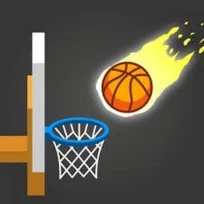 Tap Tap
Shots
Tap Tap
Shots
Tap-Tap Shots
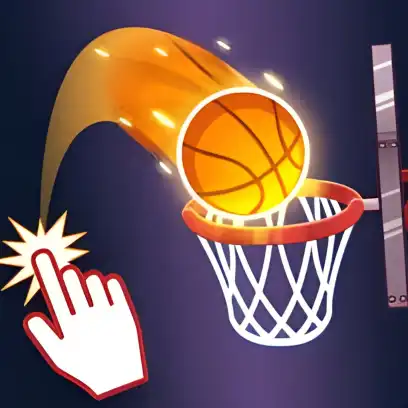
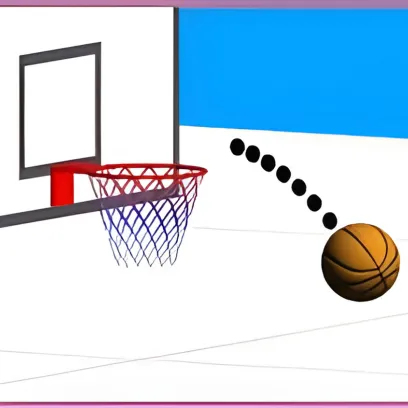
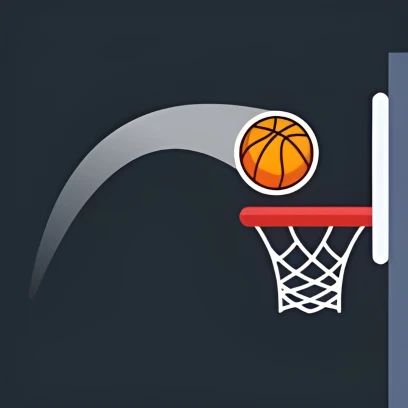
Tap-Tap Shots is a fast-paced and addictive basketball game where you tap repeatedly to keep the ball bouncing and shoot it into the hoop. The objective is to score baskets before the timer runs out and continue your streak for as long as possible.
Each successful shot resets the clock, allowing you to keep playing and build a higher score. The game becomes more challenging as the distance and timing change, requiring precision and quick reactions. With simple controls and endless gameplay, Tap-Tap Shots is perfect for players who enjoy quick, skill-based basketball challenges.
How to Play Tap-Tap Shots
Tap-Tap Shots is a simple one-button basketball game where each tap makes the ball bounce upward. Your goal is to control your timing and guide the ball into the hoop before the timer runs out. Depending on how and when you tap, the ball’s movement will change, so finding the right rhythm is essential for accurate shots.
Each time you score, the hoop moves to a new height and position, making the next shot more challenging. Every successful basket resets the clock, allowing you to continue your run and increase your score. The game follows an endless format, encouraging you to improve your timing and beat your highest score.
Tap-Tap Tips
Tap gently and consistently to move the ball step by step toward the hoop. If you miss a shot, the ball will return from the opposite side, giving you another chance to score. After each basket, a new hoop appears in a different location, creating a continuous cycle of new challenges.
Think quickly and manage your time carefully, as the round ends when the timer runs out. If you miss, react fast to reposition the ball, but avoid tapping too rapidly, which can cause you to overshoot.
Get “On Fire”
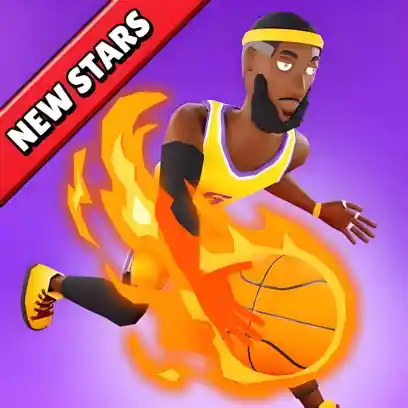
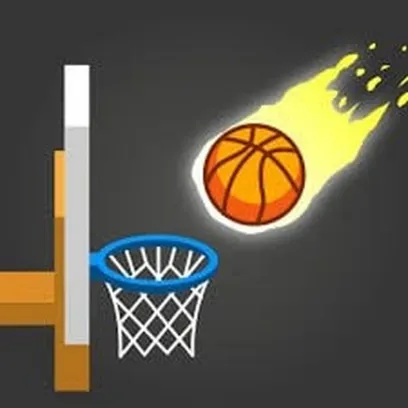
Scoring several baskets in a row will activate a fire mode, where the ball catches flames to show a successful streak. While on fire, you can earn extra bonus points. You can also gain additional points by making clean shots that pass through the hoop without touching the rim.
Controls
Desktop:
Click the left mouse button to make the ball bounce and shoot.
Mobile:
Tap the screen to bounce the ball and aim for the hoop.
Timing your clicks or taps correctly helps you control the ball and make accurate shots.
Features
- Simple One-Tap Controls – Easy to play with quick tap-based gameplay.
- Endless Basketball Action – Keep playing as long as you score before the timer runs out.
- Moving Hoops – The basket changes position after every successful shot.
- Combo & Fire Mode – Score consecutive baskets to activate fire mode and earn bonus points.
- Clean Shot Bonus – Get extra points for shots that pass through the hoop without touching the rim.
- High Score Challenge – Improve your timing and beat your best score with each attempt.\
Educational Aspects
Tap-Tap Shots helps improve hand-eye coordination, reaction speed, and timing skills. Players must make quick decisions and control their taps precisely to guide the ball through the hoop, which encourages focus and fast decision-making.
Player Age Recommendations
Tap-Tap Shots is suitable for school-aged players and above. It is ideal for anyone who enjoys basketball games, quick reflex challenges, or precision-based tap timing gameplay.
Faqs
How Can I Play Tap-Tap Shots for Free?
You can play Tap-Tap Shots for free on Basketball-Games.io. Simply open the game in your browser and start playing instantly without any downloads or installation.
Who Created Tap-Tap Shots?
Tap-Tap Shots was developed by Max Games, a studio known for creating simple and addictive browser-based games.
Can I Play Tap-Tap Shots on Mobile and Desktop?
Yes, Tap-Tap Shots is fully playable on both desktop and mobile devices, including phones and tablets. The game runs directly in your web browser using HTML5, so no installation is required.
Can I Play Tap-Tap Shots Unblocked?
Yes, you can play Tap-Tap Shots unblocked on Basketball-Games.io. The game runs directly in your browser, allowing quick access on supported school, office, or restricted networks.